

|
Name |
Home Up |
|---|---|
|
Category |
Apps |
|
Developer |
Home Up Inc |
| Last version | 15.0.01.19 |
|
Updated |
|
|
Compatible with |
Android 8.0+ |
Introduction to Home Up APK
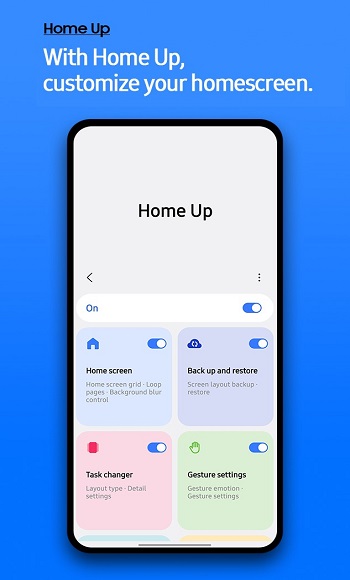
Home Up is a customization utility tool designed for Samsung devices running One UI. It works as a module within Samsung’s Good Lock suite, giving users deeper control over their home screen setup. Instead of being locked into default layouts and folder styles, it lets people fine‑tune their device’s look and navigation style to suit personal habits and preferences.
The app focuses on home screen organization and multitasking improvements. Users can change grid sizes for both the home screen and app drawer, making app placement more efficient. It also offers multiple layouts for the recent apps view, so switching between tasks feels quicker and less cluttered.
For those who like to keep things visually neat, it allows customization of folder backgrounds, colors, and icon arrangements. Adding blur effects or adjusting folder layouts can make the interface cleaner and easier on the eyes, especially for people who keep many apps grouped together.
Beyond appearance, Home Up makes navigation faster. Features like Finder Access help users locate apps instantly, while the streamlined Apps List arranges installed apps in an orderly way. This is especially helpful for those with large app libraries, where scrolling through multiple screens is time‑consuming.
One of its big advantages is the way it optimizes larger displays. On devices like the Galaxy Fold or tablets, expanded grid layouts and multitasking tweaks make the extra screen space more practical. This reduces wasted space and helps keep important apps within easy reach.
It does have a few limits. Since it depends on One UI updates, some features may only work on newer versions of Samsung’s software. There’s also a small learning curve users might need a bit of trial and error to set it up the way they want.
Home Up is best suited for Samsung users who value efficiency and personalization. People who multitask frequently, own large‑screen devices, or simply want a cleaner, more functional home screen will benefit most from its flexible layout and organization tools.
FAQs Home Up
What is Home Up?
+
Home Up is a Samsung customization app that lets you change your home screen layout, folder design, and multitasking style through the Good Lock suite.
How do I install Home Up?
+
You can install Home Up by downloading the Good Lock app from the Galaxy Store, then adding Home Up as one of its modules.
Can Home Up work on all Samsung devices?
+
Home Up works on most Samsung devices running One UI, but some features may only be available on newer versions.
What features make Home Up useful?
+
It offers adjustable grids, custom folder styling, multiple recent‑apps layouts, and faster app search tools.
Is Home Up hard to use?
+
It’s simple once set up, but first‑time users may need a few minutes to explore the settings and find their preferred layout.
Discover More Interesting Apps










Share Your Thoughts